


Local Weather Forecast - Radar
4.816.01K Reviews
App Specs
- Version
- 1.5.6
- Updated On
- License
- Free
- Downloads
- 10,000,000+
- Developer
- Vitality App Studios
- Categories
- Weather
- Platform
- Android, iOS
Screenshots
 Analysis by AppCompare
I like a weather app best when it helps me make a small decision quickly: whether to take a jacket, shift a walk, or leave a little earlier. Local Weather Forecast - Radar is built for those everyday checks, combining local conditions, forecasts, radar and severe-weather alerts in one place. Its appeal is straightforward: I can look at what may be happening nearby without turning a simple question into a research project.
There is a practical distinction between having weather information available and knowing what to do with it. A forecast can help me plan, but it cannot make outdoor conditions certain. I treat the app as a useful guide, especially when rain or changing conditions could affect the day, rather than as a promise that the weather will follow a precise schedule.
What the free option means in practice
The app is free to download, so trying it does not require an upfront purchase. It also offers in-app purchases priced from $2.99 to $4.99 per item. That gives you a clear starting point for weighing the cost: you can begin with free access, while some optional purchases are available if you decide they suit your needs. I would not assume that paying is necessary for an ordinary daily forecast check.
For me, that makes the most sense if I first use the free version in my normal routine. Check whether it answers the questions I actually have, such as what the day looks like by the hour or whether the radar helps me judge a rain shower. Only then would I consider whether an in-app purchase offers value for my own use. The listed price range is not a reason by itself to buy; it is a prompt to decide based on what you want from the app.
Where the information earns its place
The strongest value is convenience. Instead of switching between a forecast screen and a separate radar tool, I can use the app to get a quick overview and then look closer when the weather might affect a plan. That is handy on a day when I have a commute, an errand and a short outdoor break to fit in. I do not need a complicated setup just to make a basic decision about carrying an umbrella.
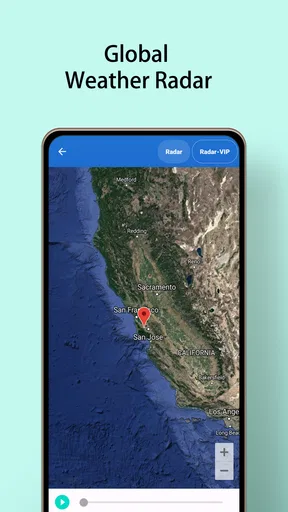
The radar is more useful when I treat it as context, not a guarantee. If rain appears near my area, I can use the map to think about whether to wait, take a different route or bring a waterproof layer. Looking at it alongside the hourly forecast is a better habit than relying on a single snapshot. Weather can change, and a visual map does not remove that uncertainty.
Tradeoffs to keep in mind
A feature-rich weather app may still be more than some people need. If you only check the temperature once in the morning, a basic forecast already built into your phone may be enough. This app makes more sense when radar, hourly planning and alerts are part of how you decide what to do. The extra detail is useful only if you will actually look at it.
Worth Reading Before You Choose

Switching to Android Auto Means Rethinking Your Driving Routine

Google Calendar Makes a Crowded Week Easier to Manage

Baby Panda World Brings Quick Play to Modern Phones, but Its Game Library Feels Busy

ESPN’s Live Game View Makes Following Close Games Easier

QuizzLand Review: A Good Fit for Short Trivia Breaks, Not Every Player

Basketball Stars: Multiplayer Is Fast, but Can It Recover When Matches Go Wrong?
Alerts are another feature I would use thoughtfully. They can be helpful when severe weather may affect plans, but notifications are not a substitute for checking conditions yourself or following local safety guidance. If you prefer a quiet phone, consider whether weather notifications fit your habits before relying on them. I see the alerts as a reason to pay attention, not as a complete safety plan.
Who is likely to get value
I would recommend giving it a try if you regularly plan walks, outdoor tasks or travel around changing weather and want radar as well as forecast information in one app. It may also suit someone who likes checking the coming hours rather than making plans from a single daily summary. The app is rated for Everyone, and its straightforward purpose makes it approachable for casual users as well as people who check the weather often.
On the other hand, someone who wants specialist tools for professional forecasting may prefer a service designed around that work. Likewise, if your current weather app already gives you the local forecast and radar you need, switching may not improve your routine. I would compare the information you use day to day, not just the number of screens or features on offer.
A routine that makes radar more useful
Imagine you are deciding whether to walk home after work or take a bus. A quick check of the hourly forecast gives you the broad picture; the radar then helps you see whether rain looks close enough to affect that choice. If the conditions seem uncertain, taking a light rain layer is a low-effort backup. That kind of practical check is where this app feels most useful: it helps you prepare without pretending to remove every surprise.
A small habit can make the information easier to use. Check the forecast when you first make a plan, then look again closer to the time if the weather could change your decision. For a longer outdoor activity, use the hourly view to think about timing rather than treating the day as one unchanging block. These checks are simple, but they help avoid overreacting to a single radar image or forecast update.
First Impressions: Your Weather Companion
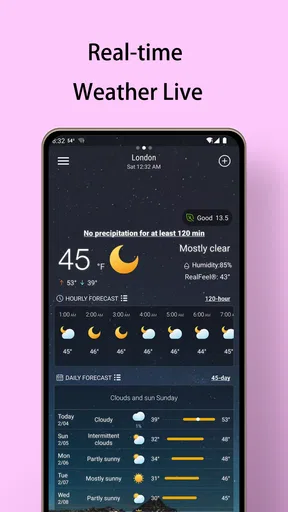
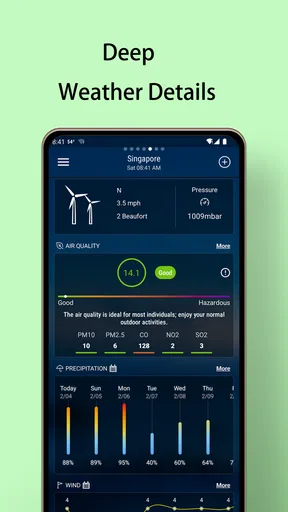
So, I decided to give Local Weather Forecast - Radar a whirl, and I’ve got to say, it’s like having a mini meteorologist in your pocket. From the moment I launched the app, I was greeted with a clean and intuitive interface. It’s not cluttered with unnecessary information, which I really appreciate. The app shows you what you need to know right off the bat.
Features That Shine
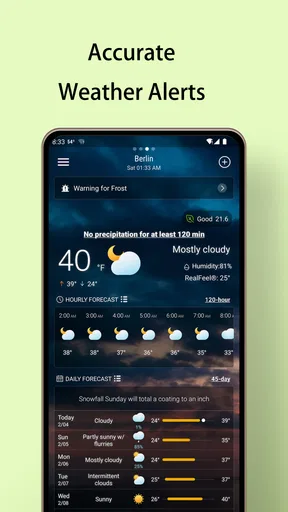
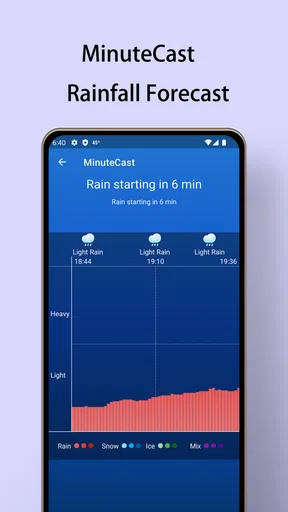
One of the standout features is the real-time radar. It’s super detailed, showing you weather patterns by the minute. I love being able to zoom in on my specific area and see exactly what’s coming my way. Whether it’s a drizzle or a full-blown storm, you can track it in real-time. Plus, the alerts are a lifesaver. You get notified about severe weather conditions well in advance, so you’re never caught off guard.
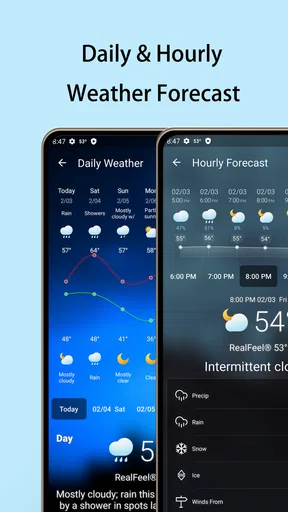
Another neat feature is the daily and hourly forecasts. The app provides up-to-the-minute updates, which are surprisingly accurate. I found myself checking the hourly forecast before making any outdoor plans, and more often than not, it was spot on. It’s like having a weather crystal ball, and who doesn’t want that?
Usability and Design
Using the app is a breeze. The navigation feels natural and everything is exactly where you’d expect it to be. The developers clearly put a lot of thought into making it user-friendly. You don’t have to be a tech wizard to figure out how to get the most out of it. And let’s talk about the design for a second—it’s sleek and modern. The color scheme is easy on the eyes, making it a pleasure to use, even on those groggy, early mornings.
Its basics are easy to pick up, but I get the most from it when I check the forecast in two passes: first the hourly outlook, then the radar if rain could change my plans. That keeps the map in perspective instead of turning every patch of color into a reason to cancel. If I am deciding between leaving now and waiting, I look for the broader pattern and use the forecast as a guide, while keeping a backup plan in mind.
Local Weather Forecast - Radar is an app in the weather category from Vitality App Studios. It has a 4.8 average from around 183,000 ratings, and has been installed over 5 million times. It is free, with in-app purchases from $2.99 to $4.99 per item, and is rated for Everyone. The current version is 1.5.6 and it runs on Android 6.0 or later. That combination makes it easy to try for everyday use, though the optional purchases are worth considering only if they add something you personally need.
Compared with the usual alternatives, its draw is the mix of local forecasts, hourly and daily views, radar and alerts in one place. A phone’s built-in weather option may be quicker for a simple temperature check, while a specialist weather service may be a better fit for people who need more technical detail. I would choose this app when I want a convenient visual check before heading out, not because every user needs another forecast on their phone.
Final Thoughts
Overall, Local Weather Forecast - Radar is a solid choice for anyone looking to stay ahead of the weather. Whether you’re planning a picnic, heading out for a hike, or just commuting to work, this app has got your back. It’s reliable, easy to use, and packed with features that make checking the weather actually enjoyable. So, next time you’re debating whether to pack that raincoat, just check the app and step out with confidence.
My verdict is to try the free access if radar and short-term planning would genuinely help you; I would skip it if a basic forecast already covers your routine or if you need professional-grade analysis. The app’s value is in making ordinary decisions quicker, not in guaranteeing exact conditions. Keep that distinction in mind, and it is a practical weather companion rather than a purchase you need to make on principle.
Pros
- Accurate real-time weather updates.
- User-friendly interface for easy navigation.
- Customizable alerts for severe weather.
- Detailed radar maps with zoom capabilities.
- Minimal ads for a smooth experience.
Cons
- Limited features in the free version.
- Occasional lag during updates.
- Requires constant internet connection.
- Some ads are intrusive in free mode.
- No offline mode for radar maps.
FAQs for Local Weather Forecast - Radar
Is Local Weather Forecast - Radar available for both Android and iOS devices?
Yes, Local Weather Forecast - Radar is available for both Android and iOS platforms. You can download it from the Google Play Store for Android devices and the Apple App Store for iOS devices. This ensures that users on both platforms can access the app's features, including real-time weather updates and radar imagery.
Does Local Weather Forecast - Radar offer real-time weather alerts?
Absolutely, the app provides real-time weather alerts to keep users informed about any sudden changes. These alerts cover severe weather conditions such as storms, heavy rain, and other significant weather events. Users can customize these notifications to ensure they receive timely updates relevant to their location.
Can I view weather forecasts for multiple locations with Local Weather Forecast - Radar?
Yes, the app allows you to track weather forecasts for multiple locations. This feature is especially useful for users who travel frequently or want to monitor weather conditions in different areas. You can easily add and switch between your preferred locations to stay updated wherever you are.
What type of radar imagery does Local Weather Forecast - Radar provide?
Local Weather Forecast - Radar offers detailed radar imagery, including precipitation patterns, storm tracks, and cloud cover. This radar data helps users visualize current weather conditions and anticipate future developments. The imagery is updated frequently to provide accurate and up-to-date information.
Is there a cost associated with using Local Weather Forecast - Radar?
Local Weather Forecast - Radar is free to download and use, though it may offer in-app purchases or a premium version. These options typically provide additional features or an ad-free experience. Users can choose whether to upgrade based on their preferences and needs for enhanced functionality.


